Showing posts with label technology. Show all posts

27 February 2020

FB Diet Ambivalence

For the past several months I've been off Facebook, mostly.  I haven't officially left, and I still wish folks a happy birthday (I get email reminders for that, which I value--I'd never remember otherwise), and on those occasions I visit, I strew "likes" and "loves" as liberally as ever, but I don't post, I've removed the apps from my phone and iPad, and I've un-liked and un-followed people and organizations even remotely political.

This has pluses and minuses, of course.  On the plus side, I no longer daily slide into a dark spiral, spurred by someone's posting of bad social or political news (or my perusal of the adjacent comments section).

(I have to say this does happen whenever I visit, though.  Even in my pared-down FB world, folks post political-social stuff, and other folks say mean, stupid, ignorant stuff.  And I just never get over my dismay at meanness, stupidity, and ignorance.)

Also on the plus side, I avoid a lot of advertising I don't need to see, I spend less time on a lot of trivial crap, and (related) I don't sit around wondering why more folks don't "like" or respond to my posts.

On the minus side, I feel somewhat less connected to friends and family.  I miss sharing special experiences on FB and miss the feeling of knowing at least where folks are  by what they are posting on FB. 

I am hoping to do more reaching out to folks individually (with letters and postcards, imagine that!) and writing more here to share special experiences, and doing more of my own creative work in general.  That is always an ambition, but not so easily realized.  We'll see.

I also feel like I miss part of the zeitgeist--what folks are thinking and talking about, what's interesting, what's funny. 

For example, today I went on FB (to wish someone a happy birthday, natch), and a distant friend posted a link to this excellent Pixar video, which I am so glad I saw. A member of a cooking interest group I belong to posted a link to this fabulous interview with Samrit Nosrat.  The interview reminds me of why I was so crazy about her book and love her whole personality.

So by avoiding FB, I also avoid this kind of stuff.  On the other hand, I've been sitting at my desk for more than an hour and haven't gotten any work done, so maybe it's really best to keep my FB interaction to very small doses.

14 May 2019

Vitamix Happiness

Not long after we got the Instant Pot, we purchased a Vitamix (2018 was a banner kitchen-gadget year).  I am not sure what inspired that purchase, but I suddenly got a feeling we ought to have one and spent a lot of time researching before choosing a model.

We have had a bad history with blenders.  We registered for one when we got married in 1997.  We hardly used it, but when we did try to blend some things, it died on us.  Some internal fuse blew out.  Figured we had a dud, and exchanged it.  The replacement behaved the same way.  We tried another brand.  No luck. After a while, we just figured we were not blender people. 

Victor had brought an immersion blender to our household, and we loved that. We generally used that when we needed to blend.  When it died, we replaced it with a similar model but that one was not as durable.  I then did a ton of online research and bought the DeLonghi immersion blender, which is super over-engineered.  Very powerful. We have been thrilled with it.

From my reading about the Vitamix, it seemed to be similarly over-engineered so I thought it would be a good fit for us.  In the event, it certainly is. 

We have never worried about straining the motor.  It crushes ice and other frozen stuff with ease.  It can turn an apple into juice in seconds.  It is easy to clean and looks good on the counter.

Smoothies are now a routine part of our lives.  And while the immersion blender does a fine job pureeing soups, when we need something to be really smooth, nothing beats the Vitamix.


07 May 2019

On the Instant Pot Bandwagon

I forget how I learned about the Instant Pot.  I suppose I saw an ad somewhere. I did a lot of reading online (checking out reviews, videos, and competing products). I was excited by the thought of a multifunctional device (it can make yogurt!  it can hardboil eggs!), by the promise of dry beans cooked quickly without soaking, and by the option of sous vide (available with the Ultra model that I decided to purchase) (even though I still haven't attempted it).

I've owned the Instant Pot for around 15 months, and it has become one of the most heavily used appliances in my kitchen.  I don't use it daily, but there are few weeks that it doesn't get set on the counter and plugged in.

The most frequent use, which I had not anticipated, is the preparation of vegetable broth.  I save vegetable scraps in the freezer and whenever I run out of fresh vegetable broth I throw the scraps into the Instant Pot with some herbs and spices and three quarts of water. Set some dials and push a button, and forget about it.  Whenever I get back to it, there's at least three quarts of broth, ready for use in soups and other recipes.  Cleanup is easy, but my favorite part is that the pot doesn't have to be watched.  I can go out and do errands; the Instant Pot finishes cooking and then keeps the contents safely warm until I get back.

The next most frequent use is for beans. We eat mostly vegetarian at home, which means beans are a significant part of our diet.  They turn out well in the Instant Pot, though I still try to soak beforehand if possible, because everybody says this helps the beans cook more evenly.  Even without soaking, though, you can get a good result.

The third most frequent use is for soups and stews.  The Instant Pot has a saute feature, so you can saute aromatics and other ingredients before the pressure cooking step if needed (it's not necessarily dump and cook).  But once that's done, I love locking the top and pushing the button and not having to futz. You can give your attention to other parts of the meal, or just take a rest. 

Finally, I've found the Instant Pot is a great partner for Indian food. Maybe the Instant Pot presses the spices into the food with more force? I don't know, but the Indian food I've made in the Instant Pot (saag, chickpea masala) turns out especially tasty. I've used recipes from the Internet as well as Urvashi Pitre's Indian Instant Pot Cookbook.

One really helpful resource for vegetarian cooking with the Instant Pot has been Lorna Sass' Complete Vegetarian Kitchen. This was written before the Instant Pot craze, but Sass has been a pressure cooker proponent for many years.  Most of her recipes include instructions for both pressure cooker and conventional equipment.  I have found the recipes pretty reliable and tasty.

The Instant Pot has turned out to be one of my favorite purchases for the kitchen.

17 April 2019

Keeping Track of Cookbooks

I just learned about this terrific Web site called Eat Your Books.  It's a service that indexes cookbooks.  It may seem pretty random, but if you have a lot of cookbooks, and you cook a lot, it is sometimes hard to remember where a recipe you cooked once came from.  And going through your cookbooks to find it can be a chore--again, if you have a lot of cookbooks, and also if you have a tendency to distinctly remember things incorrectly.

For example, the other day I was wanting to make a vegetable soup I had cooked before.  I remembered it had lettuce.  I also remember it had no added water--rather, you stacked all the vegetables in the pot and cooked it slowly so the vegetables gave off their own water. 

I was pretty sure this was from one of Mark Bittman's books.  I remembered he referred to another cookbook writer for this recipe.  I looked quickly through my Bittman books and didn't find it.  Then I tried this site.

I searched for Bittman, lettuce, vegetable soup. No dice.

I tried to remember the name of the other cookbook writer.  I thought maybe it was Mimi Sheraton.  I looked up Mimi Sheraton, vegetable soup. No dice.

Then I decided to assume I was wrong about almost everything.  I looked up vegetable soup, lettuce.  And there it was.  Nika Hazelton's Garden Vegetable Soup, from Arthur Schwartz' Soup Suppers. A favorite cookbook of mine for more than 20 years.

Convinced, I bought a subscription ($30/yr) and quickly loaded in all my cookbooks.  Not all of them have been indexed yet, but many of them have.  What this means is, I get more use out of my cookbooks.  When I am not sure how I want to cook, say, a bunch of haricots verts, I can do a search for these on My Bookshelf and see the names and sources of most of my haricot vert recipes.  Instead of just looking randomly on Google (which is OK, too, but doesn't leverage my cookbooks).

Anyhow, I am delighted, looking forward to finding surprises in my own cookbooks, and getting further inspiration for my culinary adventures. And when I have time, maybe I'll help out by offering to index a few of my not-yet-indexed volumes.


05 October 2018

Unsubscribed

After years of getting so many emails, from stores I no longer shop at, political organizations I really don't want to hear from, and restaurants that I ate at once, I am unsubscribing with determination.

For a long time I kept the political emails because I was an inveterate petition signer.  But having been persuaded that petitions don't really make a difference (for the issue being addressed), those emails (so many!) became just so much spam.  In the current environment, I am really trying to avoid outrage triggers.  They are so ubiquitous!

So my email box is becoming a lot leaner and we will see how my anxiety levels respond over the next weeks.

29 June 2016

Life without a Landline

I didn't actually turn off our landline until late last week.  I was a bit scared to.  After sending a notice to our friends and family, I changed our phone number with our credit card companies and a few other places but I kept worrying that I'd forgotten something important.

Now that the landline is gone, it's a bit quieter at home.  We used to get several spam calls each day (marketing calls, surveys, political and charitable solicitations); now we don't get any.  When I first opened my Google Voice account there were a few spam texts, but after I blocked those senders we were not bothered again.

One thing that annoyed me about not having a landline was needing to carry my phone around the apartment. I generally keep my phone in a purse, not my pocket.  I don't always have a pocket.

Then I remembered reading about connect to cell cordless phones. These phones use Bluetooth to link with your cell so it can stay in one place charging and you use the cordless handsets strategically placed around your home to make and receive calls. You don't have to have a landline to use them. I ended up buying a VTech model and it is working well for my phone. Unfortunately, even though it is supposed to be able to connect to two different cell phones and even appears to do so (the linking process goes smoothly), Victor's phone doesn't make the VTech handset ring.

Not a big deal, though, since Victor is used to carrying his cell phone everywhere.

We haven't had much occasion to use Google Voice yet, but I did give the number to a department store salesperson a couple weeks ago and thus had an opportunity to experience this cool feature in which Googlebrain transcribes voicemail and texts it to you.

The transcription was perfect!  We are definitely living in the future!

25 May 2016

What Good Is a Landline?

This month finds me contemplating getting rid of our landline.  It costs us about $300 a year, with taxes and fees, and seems mainly a vehicle to receive marketing and fundraising calls. Further, for the past year our phone service has been supplied by our cable provider--that is, the landline is more of a "landline."  It won't work when the electricity goes out, which used to be a reason to keep at least one phone plugged into the wall.

When my deaf mother was alive, I couldn't seriously consider getting rid of our landline because the TTY device I used to communicate with her weekly required a landline and I couldn't find an analogous device that would work with a cell phone. I imagine that's because deaf people who use cell phones likely just text each other--the market for those who want to use a cell phone with a TTY must be vanishingly small.

When you Google "should I get rid of my landline?" the chief objections seem related to emergencies.  In our current situation, as I mentioned, we aren't protected from an electrical outage. We have no children, so we don't need to worry about young kids (presumably without their own cellphones) needing to contact someone in a crisis. We generally don't have trouble keeping our phones charged so the "emergency" of running out of battery seems less applicable.  Plus, we have additional devices that can make calls over the Internet (Skype, Facetime) should the phones die. Of course, if the Internet died, we'd be screwed, but that would be true with our current "landline" also.

I didn't see any discussion of my main concern--not wanting to give either of our cell numbers to credit card companies, political and charitable organizations, and so forth.  Also, wanting a number that represents our household as opposed to only my husband or only me.

The answer to that seems to be Google Voice.  So I think this week I am going to take the plunge: get a Google number, let folks know we have a new number, and drop the landline.

(deep breath)

Will update on how it goes.

08 January 2016

Being Your Own IT Department Can Be a Drag

I am the person in our household who understands computer and networking technology best, which seems pretty laughable. It is not that I understand these things well, but that even though my husband is an engineer, he's not that kind of engineer. Also, he doesn't apply himself to understand computers and networking--he doesn't need to. At work he has a real IT department to worry about that stuff and at home he has me.

So when the problems of last week recurred (my docked Windows laptop couldn't get to the Internet through its ethernet connection), it was on me to fix. Victor had already complained that his laptop was unable to get to the Internet via our home wireless network; I discounted his complaints because all my devices managed to access the Internet via wi-fi just fine and he has a cellular connection that he can use when wi-fi is unavailable.

This morning, testing revealed that while my iDevices (including the iMac) connected to the Internet--wired and wi-fi--the Windows laptop couldn't do it, nor could the Roku.  I didn't take the time to check the Apple TV--we use it very little.  But I guess--since it is an iDevice--that the Apple TV would have worked fine. I recall that was true last week.

Many power downs and power ups later, there was still no positive change. Except one: my laptop's wi-fi connection returned!  Mystified by why or how, but even though the connection returned the laptop could not reach the Internet through the network.

Changing Ethernet cords around didn't do any good, either; nor did (for example) connecting the Roku directly to the router instead of to an Ethernet switch. Since the problem came and went, I wondered whether the router, which is a few years old, might be going bad.  So I switched it with the router provided by the cable company.

The substitute router worked seamlessly for the iDevices and didn't make a bit of difference for the other devices. Worse--it broke Sonos.

It is another bad-weather day, and I would have been inclined to think that's what caused the trouble, but Victor was so disdainful of this conjecture when I brought it up a last week that I did some googling on the subject and learned that he is likely correct to be disdainful.

The inconsistency of the problem was particularly aggravating. The Power Over Ethernet adapter in the dining room worked fine (that's where the iMac is connected) while the one in my office (where my laptop was connected) was failing to convey the Internet signal.

Another thing bugged the hell out of me.  When I manually connected to "My Network" it became "My Network 2" after connection. There is no "My Network 2."  This had happened when I tried to troubleshoot Victor's laptop also.

Then I thought about what had changed recently. One thing is that I have been beta testing some software. That didn't seem relevant to network issues. The other thing is that I added a new Apple Airport Express to our network to support AirPlay with Sonos.

And suddenly, I thought, that's it. The Airport Express creates a wireless network; it's creating some kind of interference in the dining room (where it was connected to a Sonos speaker) and the non-iDevices are trying to get Internet from there  instead of the router, as if the Airport Express were a network extender.

This proved to be the case. Once I disconnected and unplugged the Airport Express from the Sonos device and restarted everything, everything functioned properly.

Except Sonos.  To bring back Sonos, I had to revert to the original router. Some day I will devote some time to figuring out why that is.

Another day I will also devote some time to understanding why the Airport Express should have caused a problem when (I am pretty sure) I had turned off its wi-fi broadcasting capability.

But enough hours have been spent on all this today. I would much prefer if I had someone knowledgeable to call on when stuff like this happens.  All this technology is fabulous when it works. When it doesn't it's incredibly disruptive.

I had so many things to do today and now I just want to go lie down.  

07 January 2016

Goodbye, Unlimited Data

When I first got an iPhone, more than five years ago, AT&T was the only cellular provider partnering with Apple, and they offered an unlimited data plan for it. Later, as additional carriers partnered with Apple offering different deals, AT&T stopped offering unlimited data plans to new customers; however, I was grandfathered in as long as I didn't change plans or carriers. I was pretty proud of having been smart enough to have an unlimited data plan even though the achievement had nothing to do with smarts and everything to do with timing. I stuck with AT&T through multiple iPhone replacements in part to preserve my access to an unlimited data plan.

Recently I AT&T alerted me that the cost of my plan (which had been the same for the entire time I've used an iPhone) is going up. This prompted me to check out other options, and it turns out that AT&T is now offering a 2GB data package that costs substantially less than I now pay for unlimited data.  When I checked, I learned that my average monthly data use is less than 1GB; I approached 2GB in only one billing period in the past year.

When I was new to smart phones, an unlimited data package seemed like a great option because I had no idea how much data I would use and was afraid of being dunned crazy amounts of money for using Google on street corners. Now that I know I rarely exceed 1GB data a month, I don't need to pay more for the "insurance" of unlimited data.

So, goodbye unlimited data!  

29 December 2015

Mystified

Yesterday after a  busy morning and early afternoon (exercise, cooking) I finally sat down at my Windows computer and the Internet didn't work. I use my laptop at a docking station with a wired connection (to a Power over Ethernet adapter) so I tried to switch to wi-fi.  But my laptop seems to have forgotten it ever had a wi-fi connection. There are no wi-fi connections listed, so no adapter to enable (in the event it was inadvertently disabled).

That's one mystery.

The next is why the wired connection couldn't get my laptop to the Internet. Tracing back to my router, the router was connected. It provided a solid wi-fi connection for my wireless devices (phone, tablet) and the wired connection for our iMac (also wired to a Power over Ethernet adapter) was working, though slow (which is normal). I could surf the Web just fine from the iMac.

So I thought--maybe it's just a blip. I'll restart everything and see what happens. Our media/tech center (cable modem, TV, AV equipment, router, NAS drives, etc.) are located in our guest room, mostly powered through a heavy-duty surge suppressor.  So I flipped that off for a minute and then turned it on again. Waited.

No help for the Windows computer connection. Restarted again, unhooked and rehooked cables. We have a lot of equipment and not enough ports on the router, so we use an Ethernet switch to connect the additional devices. I moved cables around, checked whether different devices were affected.

During the course of my efforts, wi-fi was utterly lost and later regained. But Sonos (our wireless sound system that plays music throughout the apartment) was gone. Later it came back, but only one or two units (we have speakers in every room). It could play stuff in our local music library but nothing accessed from the Internet. Later it couldn't find the music library but played stuff from the Internet just fine. Tivo wasn't working. Our Roku worked on wi-fi but seemed not to recognize any connection when wired. And the Apple TV worked fine when wired. (Our Apple TV is an older model without wireless capability.)  I checked to see if my laptop worked with a wired connection direct to the router.  It did.

By the time Victor came home from work I was really beside myself. I had just restarted all the equipment, and the phone stopped working (we have digital phone service through our cable provider).  I figured I'd broken EVERYTHING.  Victor said, why don't you shut down the power and restart?

I had done that, but now I did it again.  And the phone worked!  But neither Sonos nor Roku were functioning. I stopped struggling once I got Roku working on wi-fi, and Sonos working enough to play the sound from the TV.  We made dinner and later settled down to stream our evening's entertainment.

This morning, Sonos was gone.  So, back to the drawing board.  I thought maybe the Ethernet switch was bad, so I tested that by substituting a different switch used elsewhere in the apartment. No effect on Sonos (the critical path at this point). Anyhow, the problem with the bad switch hypothesis was that Sonos wasn't working even when directly connected  to the router. So I started checking cables, one after another, to see if there were cables that worked and cables that did not work. Switched one cable.  I can't even remember why I thought that was a good idea. No immediate effect, but after restarting everything, and moving cables from one port to another in the substitute switch, Sonos was back.  Totally back! I couldn't believe my eyes! I switched everything back to the original switch. Still working!  Checked NAS drive connections.

Not working.

Moved cables around.

Working.

Then came to sit at my computer and see if the wired connection would work.  YES! (I'm using it now.)

Still no sign that my laptop is wi-fi-capable.  How does that happen? It could be unrelated to recent events; I rarely undock my laptop, so I can't recall the last time I used its wireless adapter...

The fact is that even though most issues are resolved I remain completely mystified as to what the problem(s) was (were) and what solved it (them).  My best guess is weather (it was an awful, windy, sleety day yesterday) but it's not a very satisfactory one. 

12 August 2015

Digitizing Old Photos and Movies

For the past few months I have been deeply involved with my family's old photographs and movies. After my mom died, I sent her cache of albums, loose photos, slides, VCR tapes, and Super8 home movies to ScanCafe. This service turned all the photos into JPGs, the home movies into MP4s, and the VCR tapes into DVD movies (I then converted them to MP4s myself).  Then we had our own old photos and slides digitized.

If you find yourself the recipient of many gigabytes of scanned images and converted video--perhaps multiple terabytes--you may need to address storage issues. Even though we hadn't looked at these images and movies in decades--having forgotten about them as they languished in closets and basements--now we wanted backups, and backups of the backups.

One part of the solution is cloud storage. As Amazon Prime members, we're lucky that unlimited photo storage on Amazon Cloud Drive is among the services included. We're also lucky that the total size of our video files is just under the 5G limit that's included with Prime.

Another part of the solution is local storage, so we've added a 4T NAS drive to our home network. And we added an iMac with a gorgeous display, so we can edit and see the pretty pictures and also store them, for more redundancy.

When you have so many images, though, another issue is organization. How are you going to find the pictures you want to look at?  This means, at a minimum, making electronic albums and/or folders using some rubric that makes sense (by year, by trip, by family member).  Photo apps provide additional options that offer a lot of usefulness, with the potential to recognize and group faces in your photos, the ability to edit dates (our scanned photos' dates were the dates they were scanned until we changed them) so that they sort in a way that makes sense, and add metadata (titles, keywords, and locations) to make particular photos easier to find.

Which means it can take an awful lot of hours to process your scanned photos on whatever electronic platform you're using, but we hope that once this work is done we'll have made the thousands of photos much easier to find and display.

Once you have converted thousands of photos and hours of movies into an easily accessible format, and you can do anything with them, the question becomes: what do you do with them?

  • Inevitably, the first thing you do is fall into a nostalgia hole as you flip through pictures and relive experiences you probably haven't considered in a very long time.
  • You share them with family and friends. On Facebook I have become a regular participant in TBT (Throwback Thursday), which means posting an old photo or group of photos, or a short video once a week. It's a nice discipline that keeps me from overwhelming folks with too much volume.
  • We're in the process of making slideshows that play in the background while we eat dinner (our iMac is in the dining room).
  • We're thinking of making some photo books, but that project won't start till after the images are much more organized.

All of which seems perhaps a bit small after all that cost and work, but having access to the images is like having access to a past that was previously lost.  Maybe years ago, before the advent of so much distracting electronic media, before TV got so good, when we all had more time, families and friends would regularly get together and flip through photo albums or sit and watch slideshows and home movies.  I have some vague memories of that happening when I was a kid. But not in decades.

Typically we're so trapped in the present and always thinking about the future. This stuff makes the past present.

22 May 2013

Why Buy Music?

We grew up collecting records.  I remember my excitement as a young teenager, my pocket stuffed with the cash paid by my first under-the-table job (stuffing padded envelopes with cologne samples for Helena Rubenstein), heading with my friend Angela to a record shop around the corner from the office, where you could find bins full of albums that were five dollars.

What did I buy? The Stranger by Billy Joel.  Rumours by Fleetwood Mac. Anything I could find by the Beatles. When I was able to say I had every Beatles album, I felt ridiculously proud.

It was 1978.  The stereo in my brother's room was his pride.  Even when he was away at college, I had to be awfully careful. The Phillips turntable was touchy.  There were special tools to keep records clear of dust and prepare them to be played. When records skipped too much, I balanced a penny (or stacked a few pennies if it was especially bad) on top of the needle end of the turntable arm.  Some said it was bad for the records, but they wouldn't play through otherwise.  Nothing worse than a skip in your favorite song.

By 1982 I was away at college myself; I had adopted the stereo and the stacked pennies were a permanent fixture. My record collection had greatly expanded via several initiated and then canceled memberships in Columbia House (13 records for a penny! Plus postage and handling) and similar clubs.

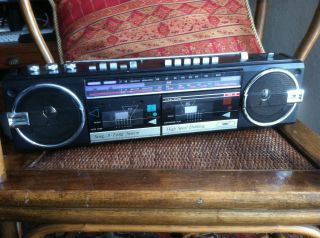
By the late 1980s, I had a walkman and a boombox (more box than boom). This meant cassette tapes.  I could have taped my albums, but I didn't have great equipment for that, so I started buying music on tape.

So, boxes of albums were joined by boxes of cassettes.  I was slow to adopt CDs, but by the time I met Victor (1990) the writing was on the wall. He had a CD player and there seemed no point in fighting the new technology.  Victor and I collected CDs for about 15 years.  In Boston we had a small shelf of them.  In Seattle the CD shelf got longer.  In Columbus, multiple shelves of CDs lined the walls around our stereo.

When we moved to our current home in Chicago, it was 2005.  We contemplated covering the walls with CDs, but instead finally caved and got an iPod (slow to adopt, again--the first iPod was released in 2001). I painstakingly converted all our CDs to MP3s and put our CDs in storage. Hooked up the stereo to our loaded iPod.  Got rid of the records and cassette tapes--we were just not using them.

We talked about updating our stereo system but without conviction.  We just didn't find ourselves using it that much.  The iPod was a bit awkward to use as a stereo controller.  We didn't always find ourselves in the living room when we felt like listening to music.

Then we found Sonos. Wireless stereo. Connects to the Internet with your wireless router. Can play from your iTunes music library and also connect to music services (Pandora, MOG).  You can put speakers in every room; play different music or radio stations in each one or play the same on all.  Control the system with your iOS device or computer or an (admittedly expensive) dedicated remote.

Our music listening increased exponentially.  We had instant, easy access to all our own music and (through MOG) just about any music we could imagine. If we didn't feel like choosing what to play, Pandora was a great DJ. Sonos also led us to Wolfgang's Vault, a trove of live recordings.

These are paid services.  MOG is the most expensive, at $9.95 a month.  Pandora costs about $40 a year, as does Wolfgang's Vault.  But it means that for about $200 a year we can play anything, anytime, anywhere (the subscription fees cover streaming to our mobile devices as well as Sonos). 

A friend asked us recently, Do you still buy music?  Why would you?

We buy a lot less than we used to.  But we do buy music sometimes. Some music is so special you just want to own it.  The pleasure of collecting is only partially satisfied by marking something a "favorite" (essentially bookmarking it) on a subscription service.  Further, you don't always have access to the Internet, and you can't always stream.  We have our entire music libraries on our iPhones now (at 64GB, our phones have more capacity than our first iPod (32GB)); at 20,000 feet (even on a non- "wi-fi" plane) we can listen to our favorite stuff.  If I discover a something great on MOG or Pandora (Ben Folds, or the Follies cast album) I generally buy it eventually.

Old fashioned, I guess. Quality deserves patronage.

27 September 2012

My Library, My Kindle, My Library

Most people would say I have a lot of books, though I have seen larger personal libraries.  One living room wall--about 18 feet--is book-lined, and our guest room is also lined with bookshelves. About 3,000 volumes, last estimate.

The sight of these books almost always prompts visitors to ask whether we have read them all.  The answer is No, not all.  Probably a majority, but not all.

Many people are not sure how to take this.  Isn't the purpose of books to be read?  To have so many books that are unread--what does that mean?

Regardless of how much I read--there is always more I wish to have read.  I may have read War and Peace and Team of Rivals, but I still haven't read Freud's Totem and Taboo or Frank Sulloway's tome on birth order, Born to Rebel (a New York Times Notable Book in 1997). When a book sounds or looks interesting--if I can imagine myself enjoying it or learning something from it--I have generally bought it (especially if it was on sale or remaindered). Gazing at such books on my shelf is satisfying because I can see I still have plenty to read (not having anything to read is a big fear).  Gazing at  the books I have  read is also satisfying--there's a special feeling of connection to these.

A library of my own has been a goal since my 10th grade social studies teacher casually referred to his.  Mr. Marienhoff probably said something like, "I looked through my library upstairs and found..."  This appealed to me because bookshelves at home were overflowing, even at the age of 15.  It was hard for me to get rid of anything.  Books I had read became my friends--impossible to betray them by giving them away. Books I had not read were like promises I had yet to keep. I was already having trouble with public libraries.  I loved being in them, but returning books was difficult.I fantasized about a room completely filled with books that were all mine.  Multiple rooms, maybe. An infinity of books to read and refer to...at home.

My books have long been my pride and my burden. When I left school, my collection was large and my housing budget was small. My books spent months in storage while I sought living space for both me and my library at a reasonable price.  Finally I moved into a loft with three housemates and a giant wall--the deal was sealed when one of the housemates offered to build me a bookcase along that wall. 

I moved from that apartment into another with the man who is now my husband. Then, and every time we have moved since, we have had to include my library in our considerations: is there enough wall space for the books? We tried to make sure there was even more room for books than there had been in the last place, because--after all--there were more books now.There were always more.

In 2010, I bought my first Kindle. I was especially excited about using the Kindle on vacation--I'd been accustomed to carrying an extra bag for my holiday reading--but I started using the Kindle for reading at home also.  People ask if I don't miss books.  A strange question.  I am still reading books. 

But I no longer find myself purchasing books I wish to have read.  Instead, I download samples of those books.  This satisfies my persistent fear of running out of things to read while avoiding purchases of books I'll never get through (there are many such volumes on my physical shelves).

Over time, I expect the size of my physical library to decline (via periodic pruning) while my virtual library grows.  The growth, though, will almost entirely be in books I have read.

My relationship to physical books is starting to feel anachronistic.

11 July 2012

What's So Great about Google Art Project?

Google Art Project is one of my favorite things. You can virtually visit more than 150 museums around the world, although you are just looking at a subset of each museum's artworks. All together, though, there are more than 30,000 works of art to discover, and many of them are in super-high-def (gigapixel) format.  In other words, they are really beautiful. Also, via Google Street View technology, you can virtually "walk" through many of the galleries, so you can get a feeling for the setting of the artworks.  Of course some of the museums, like the Palace of Versailles, are arguably more interesting for their architecture and interior design than for the artworks they contain.

Endeavors like this put us on the path to an idealized future, where all the world's knowledge and cultural capital is freely available and accessible online.  We can't all travel everywhere we would like to visit. Google Art Project offers the opportunity for really rich encounters with art and the institutions that house it.

20 June 2011

The British Library's Virtual Books

Victor and I have been to London a number of times, and one of our favorite places to visit is the British Library. Like our Library of Congress, it is a national library; unlike the Library of Congress, it sees its mission as global rather than national (its slogan: Explore the world's knowledge). A personal visit to either can be a little disappointing for a lay book lover--the shelves are typically not open to just anyone; you have to present yourself as a researcher of some kind, fill out a request slip, and wait for the librarian to deliver what you desire.

Even so, our first visit to the British Library took hours. Open to the public is a large exhibit room containing a varying assortment of remarkable documents under glass: a Gutenberg Bible, a copy of the Magna Carta, a handwritten draft of a Beatles lyric by Paul, pages from Jane Austen's first novel. In an alcove, you can sit at a terminal and virtually turn the pages of (for example) an early illuminated Hebrew bible.

It is really the coolest thing ever.

And I just learned you don't have to go to London to use it. The British Library's website provides access to "virtual books." You can download a Shockwave plugin and leaf through one of William Blake's notebooks or Mercator's first atlas of Europe.

Unbelievably awesome. Just when you're thinking that all the Internet has to offer is faster, grimmer news and LOLcats, something like this makes you remember that technology can still do amazing things.

09 September 2010

Another Day, Another Gadget

Our new flat-screen TV is Internet-enabled, which means we can stream Netflix movies, and access Amazon Video on Demand, which is almost embarrassingly exciting.  But yesterday I realized we can't easily access video content from iTunes (which was embarrassingly disappointing).  Our Blu-Ray player has an iPod dock, but that only facilitates music play; it doesn't transmit video.  We have a cable to connect my iPhone directly to the TV, but that transmits only visuals without sound.

So after scouring the Web for hours, looking at cables, docks, and other devices, I've concluded that the easiest and most cost-effective option is an Apple TV.  It offers some redundant services (for example, Netflix streaming), but also offers the prospect of a better remote interface (using my iPhone via the Remote app), access to iTunes content, and ultimately (in November or so), the ability to wirelessly stream content from any of my devices to my TV.

So is the PC-user becoming Apple-fied?   Somewhat.  But after I had to replace my Airport Extreme because it couldn't sustain a VPN connection, I'm inclined to persist with a mixed environment.

26 August 2010

Being My Own IT Department

Sometimes, being my own IT Department gets old. No one can solve my technical problems but me, which can be rewarding, but also dismaying.  Dread of long stays in hold limbo with electronics manufacturers can keep me from resolving some issues for a ridiculously long time--like how my laptop stopped starting in its docking station.  I'm not even sure where the problem is--with the laptop, or the docking station? 

But in the five-plus years we've lived in this apartment, I've endured a worse problem (after all, the laptop starts perfectly outside the docking station, and then I can just dock it), which is that our wi-fi network just barely extends into my home office.  It is not a matter of distance--our apartment isn't so terribly large--but rather, interference.  Something in the kitchen--maybe the microwave, or pipes in the wall--doesn't like the wi-fi signal and degrades it to nearly nothing between one end of the room and the other (and my office is just past the other end of the kitchen).  For a while I tried a wi-fi extender, which helped, but was prone to signal drops and also interfered with Victor's VPN access.  Then we got a new router, at the recommendation of a guy from Best Buy who said we should have better equipment if we were going to stream video to our new Blu-Ray player, and it wasn't compatible with the wi-fi extender.  Then we found that it also wasn't compatible with Victor's VPN, and also was prone to signal drops, so we got yet another router.

This router has worked well so far, but the wi-fi still barely extends into my home office.  So I tried a new solution I just learned about: ethernet through electrical lines.  You plug this adapter into the wall outlet, and connect an Ethernet cable from your router to the adapter.  You plug its partner adapter into a wall outlet in another room (for example, the room in which you have a Blu-Ray player to which you want to stream video) and connect another Ethernet cable from that adapter to the Blu-Ray player.  And then get another adapter, and plug it into the wall in your home office, and connect yet another Ethernet cable, this time to your docking station.  And it works!  Best Internet connection I've had in here!

So today I'm my own genius IT Department. Tomorrow, of course, I'll be an idiot again...

18 March 2010

Social Media at Work

On Facebook, I recently became a fan of Millennium Park. This means that park news and events appear on my Facebook page; I don't need to remind myself to visit the Millennium Park site.

Yesterday, this meant that when I checked Facebook after my doctor's appointment, I learned that the crocuses have started to bloom in the Lurie Garden. What better place, then, to sit and eat my lunch?

And so I did, charmed by the sprouting crocuses (croci, if you prefer). I took a snapshot of one of them, and posted it to my Facebook profile, closing the social media circle in one sense and opening it further in another.

01 December 2009

Radio Days

When we lived in Columbus, we listened to the radio a lot more. We were always in the car, driving to work, to shopping, to see friends. NPR was the soundtrack of our lives, or at least our Honda.

Here in Chicago, ,Victor wears radio headphones when he rides his bike to work, and we often listen together on weekend mornings (Wait, Wait Don't Tell Me is a favorite Saturday morning show, and we like to listen to the puzzle master while we read the Times on Sundays). But we sometimes go out on weekend mornings, and Victor travels a lot on business.

So we've been missing our radio, but lately we've taken steps to correct this. On black Friday, we made our contribution to the economy by buying a radio! While technically we can play our living room stereo or our spare room DVD player (which also has a radio) loud enough to hear it in our bedroom, we typically don't do it (and our neighbors are likely grateful). Plus, it's a radio that can dock my iPhone or our iPod, so we can have a wide selection of music in the bedroom, too.

Still, there's the issue of missing favorite programs. I figured there must be an app. And there is! The Public Radio Player app lets you listen live to stations around the country or just choose your favorite shows. I am so excited!

Now we just need a radio in the kitchen and life will be about perfect...

19 November 2009

Switching to the Cloud

I used to love Microsoft Outlook. It has a pretty interface, especially compared with Lotus Notes, which was the application installed at work years and years ago. Compared to Lotus Notes, counterintuitive and clunky, Outlook seemed wonderfully quick and light on its feet.

Until fairly recently, when I began to notice Outlook activity slowing my computer to a crawl.

But in general, I remained comfortable with Outlook, which retrieved my mail from my Internet provider's server on a scheduled basis--every half hour, or every minute; however I requested. The obvious advantage of more frequent retrieval: getting my mail faster. The disadvantage: my laptop tended to pause for the occasion.

Then I got an iPhone. And wondered how I could get my Outlook mail synchronized with it. Certainly the mail came into my Inbox just fine, but the folders didn't match. A little research, and I discovered IMAP. And Gmail.

I had known of Gmail for a long time and found it resistible. The interface didn't attract me. Busy, dense with text...frankly ugly. However, since my alternative was sticking with email that didn't match my iPhone, or paying Microsoft $99 a year for a new email address (MobileMe), I decided to give Gmail a try.

I now use not only Gmail, but Google Calendar and Google Tasks, as well as Google Contacts. The advantage? All this information is simultaneously available not only via my iPhone, but via any computer, using my Google account. Further, I haven't opened Outlook in months and don't miss it. I've started using GoogleDocs more, too.

Now the application that slows my laptop most is iTunes.